

As a supplier of Rechargeable Garden Shears, I understand the frustration when these handy tools stop working. In this blog, I'll share some effective troubleshooting steps to help you get your rechargeable garden shears back in action.
1. Check the Power Source
The first and most obvious thing to check is the power source. Rechargeable garden shears rely on a battery to function.
Battery Connection
Start by ensuring that the battery is properly connected to the shears. Sometimes, due to regular use or accidental bumps, the battery may become loose. Remove the battery and then re - insert it firmly. Make sure that the contacts on the battery and the shears are clean and free from any dirt or debris. A dirty contact can prevent the proper flow of electricity, causing the shears to malfunction.
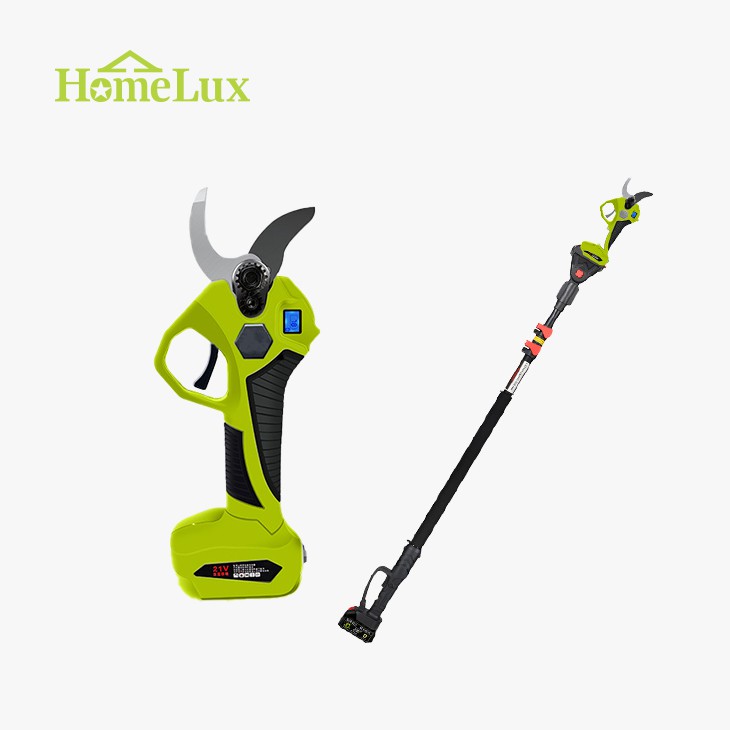

Battery Charge
Check the battery charge level. Most rechargeable garden shears come with an indicator light that shows the battery status. If the light indicates a low charge, connect the battery to the charger. It's important to use the charger that came with the shears, as using an incompatible charger can damage the battery. Let the battery charge fully. If the battery doesn't charge at all, there might be an issue with the charger or the battery itself. Try using the charger on another device (if possible) to see if it's working. If the charger works on another device, then the problem lies with the battery.
Battery Health
Over time, rechargeable batteries lose their capacity to hold a charge. If your battery is old and doesn't hold a charge for long, it may need to be replaced. You can purchase a new battery from the manufacturer or an authorized dealer. When buying a new battery, make sure it is compatible with your Rechargeable Garden Shears.
2. Examine the Blades
The blades are the most important part of the garden shears, and any issues with them can cause the shears to stop working properly.
Blade Alignment
Check if the blades are properly aligned. Misaligned blades can prevent the shears from cutting effectively. Look for any signs of the blades being out of place. If you notice misalignment, you may need to adjust the blades. However, this should be done carefully. Refer to the user manual for instructions on how to adjust the blade alignment. If you're not comfortable doing it yourself, you can take the shears to a professional for adjustment.
Blade Sharpness
Dull blades can make the shears struggle to cut through branches. You can test the sharpness of the blades by trying to cut through a small, thin branch. If the blades don't cut cleanly, they may need to be sharpened. There are several ways to sharpen the blades. You can use a sharpening stone or a file. Make sure to follow the correct sharpening angle as specified in the user manual. If you're not confident in sharpening the blades yourself, you can take them to a professional sharpening service.
Blade Damage
Inspect the blades for any signs of damage, such as cracks or chips. If the blades are damaged, they will need to be replaced. You can order replacement blades from the manufacturer or an authorized dealer. Make sure to choose the correct replacement blades for your specific model of shears.
3. Look for Mechanical Issues
There could be mechanical problems within the shears that are causing them to malfunction.
Gear and Motor Problems
The gears and motor are crucial components of the shears. If you hear strange noises coming from the shears when you try to use them, it could indicate a problem with the gears or the motor. Check if there are any loose parts or if the gears are jammed. If you find any loose parts, try to tighten them. However, if the gears are jammed, it may require professional repair. In some cases, the motor may be faulty. If you suspect a motor problem, it's best to contact the manufacturer or a professional repair service.
Switch and Controls
The switch and controls on the shears are responsible for turning the shears on and off and controlling their operation. Check if the switch is working properly. Try pressing the switch multiple times to see if the shears turn on. If the switch doesn't work, it may be damaged and need to be replaced. Also, check if the other controls, such as the speed control (if available), are functioning correctly.
4. Environmental Factors
Sometimes, environmental factors can affect the performance of the rechargeable garden shears.
Moisture and Water Damage
Rechargeable garden shears are not designed to be submerged in water. If the shears have been exposed to moisture or water, it can cause electrical problems. If the shears have gotten wet, immediately turn them off and remove the battery. Dry the shears thoroughly using a dry cloth. Let them air - dry for a few hours before attempting to use them again. If the shears still don't work after drying, there may be internal water damage, and you may need to take them to a professional for repair.
Extreme Temperatures
Extreme temperatures can also affect the performance of the battery and the shears. In cold temperatures, the battery's capacity may decrease, and the shears may not work as efficiently. On the other hand, in very hot temperatures, the battery may overheat, which can also cause problems. Try to use the shears in a temperature - controlled environment as much as possible.
5. Software and Firmware Issues (if applicable)
Some modern rechargeable garden shears come with software or firmware that controls their operation. If your shears have such features, there could be software - related issues.
Software Updates
Check if there are any available software or firmware updates for your shears. You can usually find these updates on the manufacturer's website. Updating the software or firmware can sometimes fix bugs and improve the performance of the shears. Follow the instructions provided by the manufacturer to install the updates.
Error Codes
If your shears have an error code display, note down the error code and refer to the user manual. The user manual will usually have a list of error codes and their meanings, along with instructions on how to fix the problem.
In conclusion, troubleshooting rechargeable garden shears involves a systematic approach. By checking the power source, blades, mechanical components, environmental factors, and software (if applicable), you can often identify and fix the problem. If you're still unable to get your shears working after trying these steps, don't hesitate to contact the manufacturer or a professional repair service.
If you're in the market for high - quality Lithium Pruning Shears or Cordless Electric Pruning Shears, we are here to provide you with top - notch products. We offer a wide range of rechargeable garden shears that are durable, efficient, and easy to use. If you're interested in purchasing our products or have any questions, please feel free to contact us for procurement and further discussions.
References:
- Manufacturer's user manuals for rechargeable garden shears
- Industry knowledge on rechargeable battery technology and garden tool maintenance


